
1. During a Zoom meeting click on Chat.

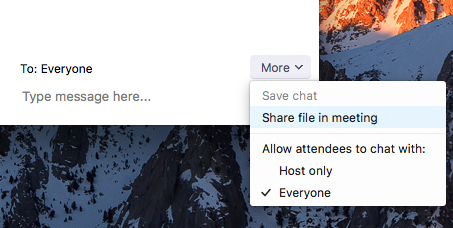
2. Select More and choose the option to Share file in meeting to send a file.
3. The following indication will be seen once the file is successfully sent.
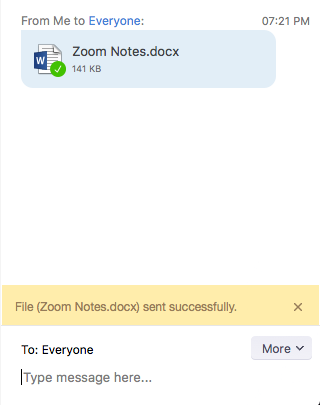
4. The participants will see a notice when a file is sent and will be given the option to download the file. Once Download is selected, they will be able to view the file.